
标签:function strong func django psi button 激活 star other
html头部
{% extends ‘base.html‘ %}
{% load static %}
{% block title %}小说首页{% endblock %}

{% block content %}

    <div id="headerbox">
        <h1 class="logo left"><a href="#"><img src="{% static ‘imgs/logo.png‘ %}">
            <p>免费小说网</p></a></h1>
        <ul class="nav right">
            <li><a href="" data-toggle="modal" data-target="#myModal">
                登录
            </a></li>
            <li><a href="" data-toggle="modal" data-target="#myModal">
                注册
            </a></li>
            <li><a href="" data-toggle="modal" data-target="#myModal">
                充值
            </a></li>
        </ul>
    </div>
    <div class="nav1">
        <ul>
            <li><a href="#">在线书库</a>
                <ul>
                    <li><a href="#">绝地求生之冷面枪神</a></li>
                    <li><a href="#">生死狙击之实验的末日</a></li>
                    <li><a href="#">午夜电视机</a></li>
                    <li><a href="#">医神的美女军团</a></li>
                </ul>
            </li>
            <li><a href="#">VIP小说</a>
                <ul>
                    <li><a href="#">漫威之我是大蛇</a></li>
                    <li><a href="#">百岁之后系统才激活</a></li>
                    <li><a href="#">末日之神级充钱系统</a></li>
                    <li><a href="#">重生乾隆王朝</a></li>
                </ul>
            </li>
            <li><a href="#">下载书库</a>
                <ul>
                    <li><a href="#">修真之异界金仙</a></li>
                    <li><a href="#">柯南之白枫</a></li>
                    <li><a href="#">僵尸的摄魂笔记</a></li>
                    <li><a href="#">重生炎尊</a></li>
                    <li><a href="#">鸿蒙创世决</a></li>
                </ul>
            </li>
            <li><a href="#">包月书库</a>
                <ul>
                    <li><a href="#">龙神系列之火凤天下</a></li>
                    <li><a href="#">炮灰的腹黑重生</a></li>
                    <li><a href="#">相守一生</a></li>
                    <li><a href="#">十二殿之乱世殇</a></li>
                    <li><a href="#">云之界幻云使</a></li>
                </ul>
            </li>
            <li><a href="#">排行榜</a>
                <ul>
                    <li><a href="#">小说人气排行榜</a></li>
                    <li><a href="#">小说鲜花排行榜</a></li>
                    <li><a href="#">小说收藏排行榜</a></li>
                    <li><a href="#">小说字数排行榜</a></li>
                </ul>
            </li>
        </ul>
    </div>
    <!-- 模态框(Modal) -->
    <div class="modal fade" id="myModal" tabindex="-1" role="dialog" aria-labelledby="myModalLabel" aria-hidden="true">
        <div class="modal-dialog">
            <div class="modal-content">
                <div class="modal-header">
                    <button type="button" class="close" data-dismiss="modal" aria-hidden="true">×</button>
                    <h4 class="modal-title" id="myModalLabel"></h4>
                </div>
                <div class="modal-body">
                    <form class="form-horizontal" role="form">
                        <div class="form-group">
                            <label for="firstname" class="col-sm-2 control-label">昵称</label>
                            <div class="col-sm-10">
                                <input type="text" class="form-control" id="firstname" placeholder="请输入昵称">
                            </div>
                        </div>
                        <div class="form-group">
                            <label for="lastname" class="col-sm-2 control-label">密码</label>
                            <div class="col-sm-10">
                                <input type="text" class="form-control" id="lastname" placeholder="请输入密码">
                            </div>
                        </div>
                        <div class="form-group">
                            <div class="col-sm-offset-2 col-sm-10">
                                <div class="checkbox">
                                    <label>
                                        <input type="checkbox">记住密码
                                    </label>
                                </div>
                            </div>
                        </div>
                        <div class="form-group">
                            <div class="col-sm-offset-2 col-sm-10">
                                <button type="submit" class="btn btn-default">登录</button>
                                <button type="submit" class="btn btn-default">注册</button>
                            </div>
                        </div>
                    </form>
                </div>
                <div class="modal-footer">
                    <button type="button" class="btn btn-default" data-dismiss="modal">关闭</button>
                </div>
            </div><!-- /.modal-content -->
        </div><!-- /.modal-dialog -->
    </div>
{% endblock %}
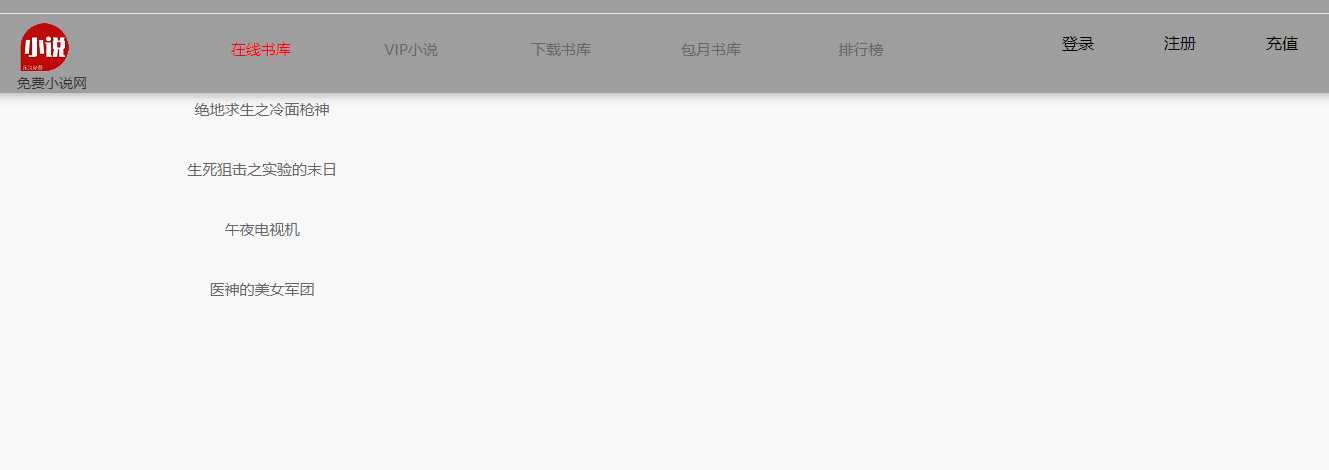
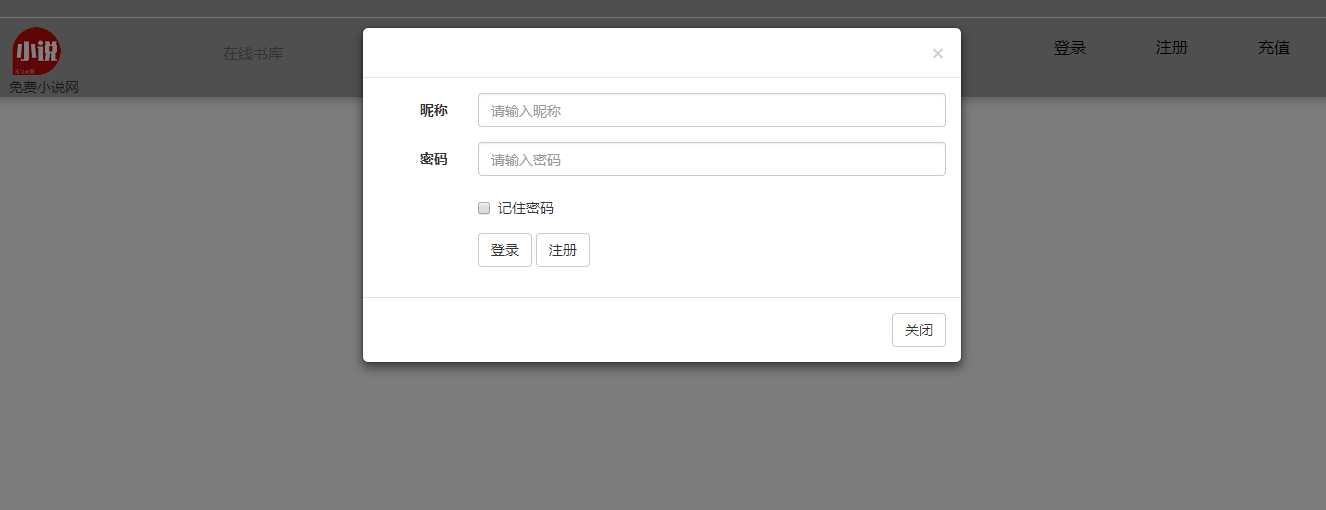
css样式
/*@charset "gb2312";*/
/**
 +------------------------------------------------------------------------------
 * 开始网站样式重写(初始化)
 +------------------------------------------------------------------------------
 */
html {
    -webkit-text-size-adjust: none; /*解决chrome浏览器下字体不能小于12px*/
}

body {
    color: #333;
    font-family: "微软雅黑", Verdana, Arial, Helvetica, sans-serif;
    background-color: #f8f8f8
}

a {
    outline: none;
    text-decoration: none;
    color: #333
}

a:hover {
    text-decoration: none;
    color: #4581e6
}

a:active {
    star: expression(this.onFocus=this.blur());
}

a:focus {
    outline: 0;
}

html {
    zoom: 1;
}

html * {
    outline: 0;
    zoom: 1;
}

html button::-moz-focus-inner {
    border-color: transparent !important;
}

body {
    font-size: 14px;
}

body, div, dl, dt, dd, ul, ol, li, h1, h2, h3, h4, h5, h6, pre, code, form, fieldset, legend, input, textarea, p, blockquote, th, td {
    margin: 0;
    padding: 0;
}

table {
    /*border-collapse:collapse;border-spacing:0;*/
}

fieldset, a img {
    border: 0;
}

address, caption, cite, code, dfn, em, th, var {
    font-style: normal;
    font-weight: normal;
}

li {
    list-style: none;
}

caption, th {
    text-align: left;
}

h1, h2, h3, h4, h5, h6 {
    font-size: 100%;
    font-weight: normal;
}

q:before, q:after {
    content: ‘‘;
}

input[type="submit"], input[type="reset"], input[type="button"], button {
    -webkit-appearance: none; /*去掉苹果的默认UI来渲染按钮*/
}

em, i {
    font-style: normal;
}

/**
 +------------------------------------------------------------------------------
 * 结束网站样式重写(初始化)
 +------------------------------------------------------------------------------
 */

/**
 +------------------------------------------------------------------------------
 * Public Class
 +------------------------------------------------------------------------------
 */
.clearfix:after {
    content: ".";
    display: block;
    height: 0;
    clear: both;
    visibility: hidden;
}

.clearfix {
    display: block;
}

.clear {
    clear: both;
}

/* 清除浮动*/

.colwrapper {
    overflow: hidden;
    zoom: 1 /*for ie*/;
    margin: 5px auto;
}

.strong {
    font-weight: bold;
}

.left {
    float: left;
    display: inline;
}

.right {
    float: right;
    display: inline;
}

.center {
    margin: 0 auto;
    text-align: center;
}

.show {
    display: block;
    visibility: visible;
}

.hide {
    display: none;
    visibility: hidden;
}

.block {
    display: block;
}

.inline {
    display: inline;
}

.transparent {
    filter: alpha(opacity=50);
    -moz-opacity: 0.5; /** Firefox 3.5即将原生支持opacity属性,所以本条属性只在Firefox3以下版本有效 ***/
    -khtml-opacity: 0.5;
    opacity: 0.5;
}

.break {
    word-wrap: break-word;
    overflow: hidden; /*word-break:break-all;*/
}

.tal {
    text-align: left
}

.tar {
    text-align: right;
}

/*文字两侧对齐*/
.justify {
    text-align: justify;
    text-justify: distribute-all-lines; /*ie6-8*/
    text-align-last: justify; /* ie9*/
    -moz-text-align-last: justify; /*ff*/
    -webkit-text-align-last: justify; /*chrome 20+*/
}

.toe {
    /*超出省略号*/
    word-break: keep-all;
    white-space: nowrap;
    overflow: hidden;
    text-overflow: ellipsis;
}

@media screen and (-webkit-min-device-pixel-ratio: 0) {
    /* chrome*/
    .justify:after {
        content: ".";
        display: inline-block;
        width: 100%;
        overflow: hidden;
        height: 0;
    }
}

em {
    font-style: italic !important;
}

strike {
    text-decoration: line-through !important;
}

strong {
    font-weight: bold !important;
    text-indent: 0;
}

u {
    text-decoration: underline !important;
}

#headerbox {
    float: right;
    position: absolute;
    z-index: -1; /*??‰position?±??€§???è???¤§è???? ??¨é?????*/
    top: 0;
    left: 0;
    right: 0;
    height: 100px;
    background-color: #9E9E9E;
    box-shadow: 0 0 20px #999 /*?·??? é?′??±*/

}

#headerbox .logo {
    padding: 30px;
}

#headerbox .nav li {
    float: left;
    line-height: 80px;
    margin-right: 40px;
}

#headerbox .nav li a {
    color: black;
    font-size: 16px;
    background-color: #9e9e9e;
}

/*#headerbox .nav li button {*/
    /*background-color: #9e9e9e;*/
    /*border: none;*/
    /*color: black;*/
    /*padding: 3px;*/
    /*text-align: center;*/
    /*text-decoration: none;*/
    /*display: inline-block;*/
    /*font-size: 15px;*/
/*}*/
.nav1 {
    position: absolute;
    border-right: none;
    overflow: hidden;
    float: left;
    margin: -10px -10px -10px 200px;
    font-size: 15px;
}

.nav1 ul li {
    float: left;
}

.nav1 ul li a {
    width: 150px;
    height: 60px;
    text-align: center;
    line-height: 50px;
    display: block;
    border-right: 2px solid #9e9e9e;
    color: #666;
}

.nav1 ul li a:hover {
    color: #f00;
}

.nav1 ul li ul {
    position: fixed;
    display: none;
}

.nav1 ul li ul li {
    float: none;
}

.nav1 ul li ul li a {
    border-right: none;
}

.nav1 ul li:hover ul {
    display: block;
}
base
<!DOCTYPE html>
{% load static %}
<html>
<head>
    <meta charset="utf-8">
    <title>{% block title %}Django 登录与注册{% endblock %}</title>

    <link rel="stylesheet" type="text/css" href="{% static ‘css/bootstrap.min.css‘ %}">
    <link rel="stylesheet" type="text/css" href="{% static ‘css/style.css‘ %}">
    <script type="text/javascript" src="{% static ‘js/jquery.min.js‘ %}"></script>
    <script type="text/javascript" src="{% static ‘js/bootstrap.min.js‘ %}"></script>
    <script type="text/javascript" src="{% static ‘js/layer/layer.js‘ %}"></script>
    <script type="text/javascript" src="{% static ‘js/myscript.js‘ %}"></script>

</head>
<body>

{#    {% if user.is_authenticated %}#}
{#        <a href="{% url ‘logout‘ %}">登出</a>#}
{#    {% else %}#}
{#        <a href="{% url ‘login‘ %}">登录</a> / <a href="{% url ‘register‘ %}">登出</a>#}
{#    {% endif %}#}
<hr>
    {% block content %}
    {% endblock %}
</body>
</html>
框架的url
"""novelnet URL Configuration

The `urlpatterns` list routes URLs to views. For more information please see:
    https://docs.djangoproject.com/en/1.11/topics/http/urls/
Examples:
Function views
    1. Add an import:  from my_app import views
    2. Add a URL to urlpatterns:  url(r‘^$‘, views.home, name=‘home‘)
Class-based views
    1. Add an import:  from other_app.views import Home
    2. Add a URL to urlpatterns:  url(r‘^$‘, Home.as_view(), name=‘home‘)
Including another URLconf
    1. Import the include() function: from django.conf.urls import url, include
    2. Add a URL to urlpatterns:  url(r‘^blog/‘, include(‘blog.urls‘))
"""
from django.conf.urls import url
from django.conf.urls import include
from django.contrib import admin

urlpatterns = [
    url(r‘^admin/‘, admin.site.urls),
    url(r‘^novelnet1/‘,include(‘novelnet1.urls‘))
]
模块的url
from django.conf.urls import url
from django.contrib.auth import views as auth_views
from django.views.generic.base import TemplateView
from novelnet1 import views as core_views
from . import views

# app_name = ‘app1‘

urlpatterns = [

    # start login
    url(r‘^$‘, TemplateView.as_view(template_name=‘home.html‘), name=‘home‘),

    url(r‘^login/$‘, auth_views.login, {‘template_name‘: ‘login.html‘}, name=‘login‘),
    url(r‘^logout/$‘, auth_views.logout, {‘template_name‘: ‘logged_out.html‘}, name=‘logout‘),
    # end login

    # start register
    url(r‘^register/$‘, core_views.register, name=‘register‘),
    # end register

    url(r‘^testform/$‘, views.testform, name=‘testform‘),

]
标签:function strong func django psi button 激活 star other
原文地址:http://www.cnblogs.com/wangyuhangboke/p/7780481.html
