
标签:string lse 用例 ring unittest method class 实例化 函数
首先我们下载BeautifulReport库
红色字体为重点部分
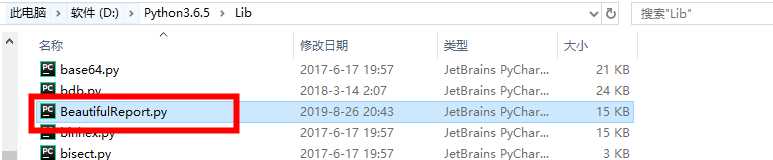
需要把他的包中的BeautifulReport.py放入Python下的Lib中不然会报错
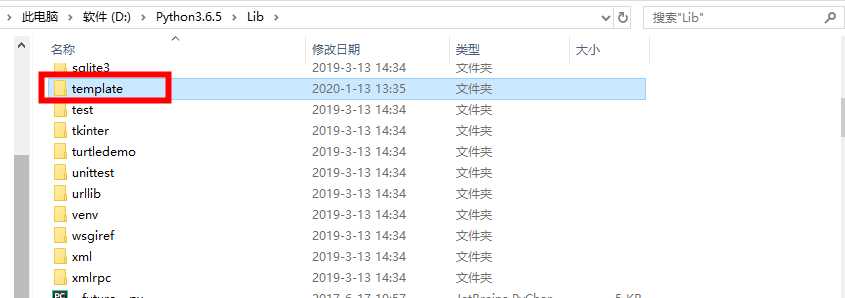
在然后把包中的template模板也放入Python下的Lib中,因为源码中默认模板路径在是py下的lib中
import unittest
from BeautifulReport import BeautifulReport

class TestStringMethods(unittest.TestCase):

    def test_upper(self):
        ‘‘‘第一个测试用例‘‘‘
        self.assertEqual(‘foo‘.upper(), ‘FOO‘)

    def test_isupper(self):
        ‘‘‘第二个测试用例‘‘‘
        self.assertTrue(‘FOO‘.isupper())
        self.assertFalse(‘Foo‘.isupper())

    def test_split(self):
        ‘‘‘第三个测试用例‘‘‘
        s = ‘hello world‘
        self.assertEqual(s.split(), [‘hello‘, ‘world‘])
        # check that s.split fails when the separator is not a string
        with self.assertRaises(TypeError):
            s.split(2)

if __name__ == ‘__main__‘:
    test_suite=unittest.TestSuite()
    loader=unittest.TestLoader()
    test_suite.addTests(loader.loadTestsFromTestCase(TestStringMethods))
    # unittest.TextTestRunner(verbosity=2).run(test_suite)
    run = BeautifulReport(test_suite)  # 实例化BeautifulReport模块
    run.report(filename=‘测试报告‘, description=‘综合招标单表标段全流程‘)
使用BeautifulReport生成测试报告的话不能直接执行测试用例不然会抛错
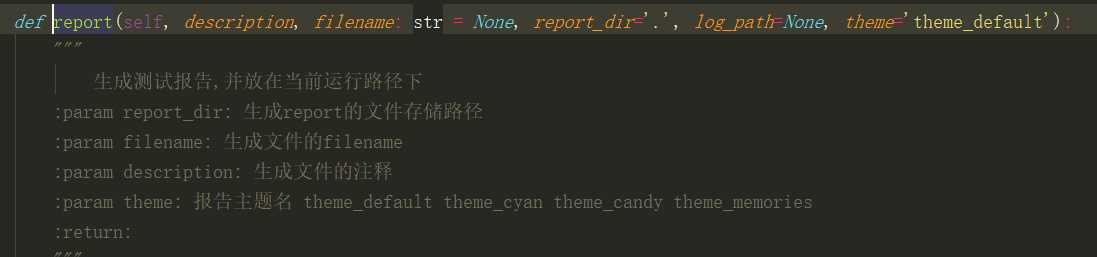
可以查看report函数源码 知道怎么设置测试用例头,路径,模板样式
然后直接执行就行了
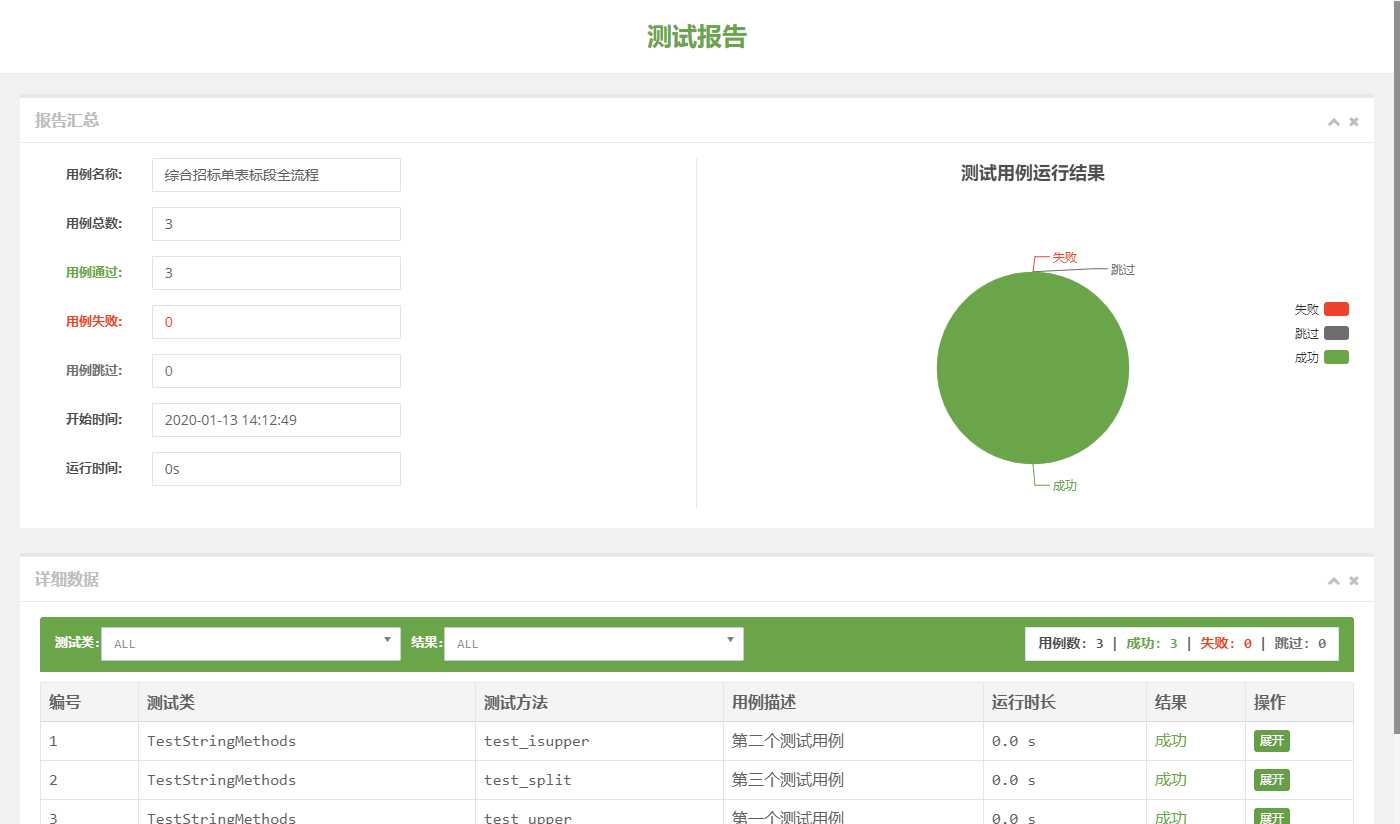
unittest使用BeautifulReport库生成测试报告
标签:string lse 用例 ring unittest method class 实例化 函数
原文地址:https://www.cnblogs.com/test-hui/p/12187041.html
